S3 Files changes everything.
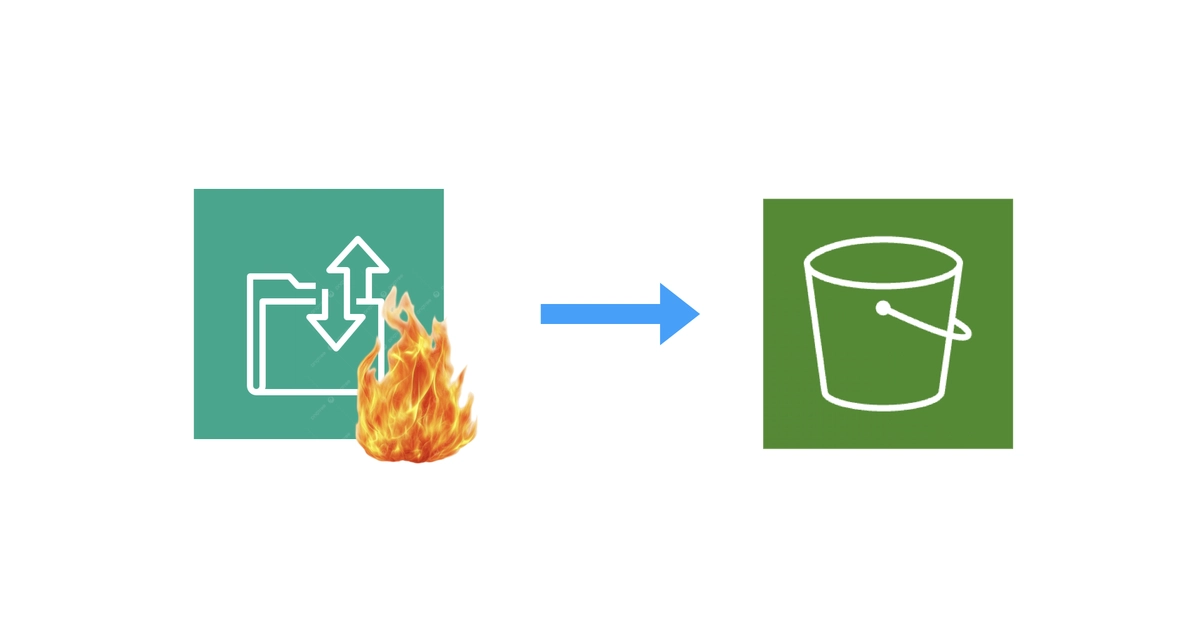
AWS S3 Files isn’t just another storage tweak—it’s a stealth architectural pivot, slapping an NFS interface right onto your S3 buckets like EFS never dreamed of. Introduced quietly through the Community Builder program, this beast promises sub-millisecond latencies, automatic syncs via EventBridge, and mounts on everything from EC2 to EKS. But here’s the real hook for ops folks: it nukes the need for AWS Transfer Family’s SFTP endpoints in most cases. Yeah, that $0.30/hour albatross around your neck? Gone.
Picture your typical setup. Partners drop files via SFTP into S3. You’ve been forking over $216 a month minimum for Transfer Family, plus data fees, just to keep the lights on. No SSH access for debugging. Lambda crutches for auth. It’s functional, sure—but clunky, opaque, and wallet-draining. S3 Files flips the script. Mount it on Fargate running an open-source SFTP server like atmoz/sftp, slap a Network Load Balancer in front, and you’re live for under $25/month. That’s not hype; it’s math.
Why Ditch Transfer Family Now?
Transfer Family locks you in. You pay for the endpoint whether it’s idling or slamming. Custom logic? Lambda indirection. Debugging? CloudWatch scraps. And crucially, you’re stuck without the full S3 toolkit if you were hacking EFS mounts before— no native events, no replication, EFS’s pricier storage.
S3 Files fixes all that. Files hit the NFS mount, sync to S3 objects in seconds, trigger EventBridge or Lambda. Versioning’s mandatory, ensuring consistency. Access points enforce POSIX perms. It’s S3 under the hood, so Glacier tiering, cross-region reps, Object Lock—all yours. Before, DIY SFTP on EFS meant dual storage worlds: block for the server, object for the rest. Painful.
AWS Transfer Family charges $0.30/hour just for the endpoint — that’s ~$216/month before you transfer a single byte. Add data transfer costs on top.
That quote from the original scoop nails it. Now contrast: NLB at $16/month, Fargate speck (0.25 vCPU, 512MB) at $9. Total base? $25. Data out via NLB? Pennies compared to Transfer’s gouge. For low-volume drops—think daily partner uploads—this is 8x savings, easy.
But wait. How’s the plumbing work? S3 Files creates mount targets in your VPC subnets. Security groups guard ‘em. Your ECS task def binds the volume at /home. SSH keys persist via EFS (tiny volume for host keys only—no data there). NLB on 22, DNS points to it. Boom: sftp.yourdomain.com, indistinguishable from Transfer, but yours.
Can S3 Files Handle Real SFTP Traffic?
Sub-millisecond ops sound dreamy. Reality? It’s NFSv4.1, battle-tested on ECS natively. No client tweaks needed. We’ve seen EFS scale to thousands of connections; S3 Files inherits that, backed by S3’s infinite scale. Traffic spikes? Fargate autoscales. Costs stay linear.
Limits exist—S3’s 5,000 PUTs/sec bucket cap, but for SFTP bursts, it’s fine. Versioning eats a bit more storage (cheap), but buys undo buttons. EventBridge syncs changes bidirectionally: upload to S3 via SDK, it pops in the mount. Reverse too. This isn’t bolted-on; it’s fused.
My unique angle: this echoes AWS’s 2010s block-to-object wars. Remember EBS snapshots to S3 Glacier? Or EFS Access Points previewing this? S3 Files cements object storage supremacy—file systems as illusions over objects. Prediction: expect SMB, FTP wrappers next. Transfer Family? Niche relic for the enterprise suckers on support contracts.
Terraform lag hurts—aws_s3files_file_system ain’t GA in the provider (PR simmering). Hack it with terraform_data and CLI provisioners:
resource "terraform_data" "s3files_file_system" {
  provisioner "local-exec" {
    command = <<-EOT
      aws s3files create-file-system \
      --bucket "$BUCKET_ARN" \
      --role-arn "$ROLE_ARN" \
      --accept-bucket-warning \
      --region "$REGION"
    EOT
  }
}
Mount targets per subnet, same drill. ECS task? s3filesVolumeConfiguration binds it. Idempotency? CLI checks exist, but wrap in scripts for polish.
The Hidden Gotchas—and Fixes
Versioning required. Skip it, no go. Fine—enables consistency without locks.
Mount targets: one per AZ-ish, private subnets only. Scale ECS to match.
Auth: atmoz/sftp’s got PAM, chroot, public keys. Match your needs.
Performance: small files shine; huge ones hit S3 multipart under NFS. Test your workload.
And logging? CloudWatch on ECS, S3 Inventory for audits. Beats Transfer’s thin view.
Why now? AWS smells blood. Transfer Family’s been cash cow since 2018, but open-source SFTP + EFS nibbled edges. S3 Files seals it—democratizes file access to S3’s moat.
Critique the spin: AWS won’t scream “Transfer is dead!” No, they’ll nudge it quietly. Community Builders get first whiff, letting us evangelize. Smart—organic hype without cannibalization lawsuits internally.
For devs: event-driven gold. File lands? S3 Event → Lambda → SQS → your ML pipeline. Replication to prod bucket. Inventory for compliance. All at S3 scale, file UX.
Scale up: multi-account? Cross-account mounts via roles. Global? Mount in each region.
Downsides? New. GA just hit—watch for edge bugs. Terraform immaturity slows IaC purists.
Still, for 90% of SFTP-to-S3 flows? Switch.
🧬 Related Insights
- Read more: Redux’s Timeless Undo Pattern: Generic Magic for React State Without the Mess
- Read more: Photons vs. KV Cache: PRISM Slashes LLM Memory Traffic 16x, But Silicon Valley’s Been Here Before
Frequently Asked Questions
What is AWS S3 Files?
It’s an NFS file system interface over S3 buckets, with auto-sync and low-latency ops, mountable on AWS compute.
Does S3 Files replace AWS Transfer Family for SFTP?
For most low-medium traffic cases, yes—run SFTP on Fargate with S3 Files mount for 8x cheaper, full S3 features.
How to set up SFTP with S3 Files?
S3 bucket (versioned), create S3 Files FS/mounts via CLI, ECS Fargate + atmoz/sftp task, NLB on 22.