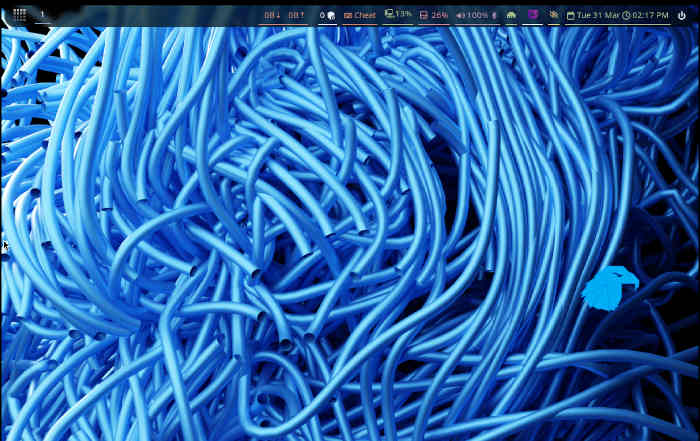
Imagine you’re a coder slamming through tabs—Firefox sprawling left, terminal slicing the middle, docs stacking right—all without a single mouse twitch. That’s Hyprland hitting your daily grind, turning chaotic screens into laser-focused command centers for devs, designers, anyone drowning in apps.
Hyprland WM. It’s exploding in Linux circles right now, this dynamic tiling beast on Wayland that blends buttery animations, rounded corners, and keyboard wizardry into desktops that feel alive.
Boom.
But here’s the electric twist: while casual users sip coffee with GNOME’s hand-holding polish, Hyprland demands you roll up sleeves—dive into conf files, wield hyprctl like a baton—and emerge with a rig that’s yours, truly yours, efficient as a sports car tuned in your garage.
Your Screen, Lego-Bricked into Brilliance
Tiling window managers? Think Lego sets for adults. Open an app, it claims the full canvas. Fire up another—bam, screen splits clean. Third one? Quarters, halves, whatever floats your workflow boat. No fumbling resize handles; keyboards rule, Super+arrows fling windows like telekinesis.
Hyprland amps this with Wayland’s modern muscle—transparencies that fade like mist, animations popping corners smooth, plugins layering extras nobody asked for but everyone craves.
“Hyprland could be the future of the Linux desktop… with one caveat. Configuring it is complex.”
That caveat? It’s the spark. Not a bug, a feature—for tinkerers, anyway.
I remember AfterStep back in the ’90s, that wild west of window managers where I’d hack transparencies till dawn, birthing desktops that screamed personality. Hyprland? It’s AfterStep reborn in Wayland chrome—old-school ricing soul with 2024 polish. My unique spin: this isn’t evolution; it’s a platform pivot, like i3 meeting macOS Exposé in a fever dream. Five years out, mark it—Hyprland configs will spawn AI auto-tuners, making elite setups one prompt away.
Short para punch: Efficiency skyrockets.
Mastering the Conf File Jungle—Or Getting Eaten Alive
Crack open ~/.config/hyprland/hyprland.conf, and it’s a beast: monitors hashed out, variables like $terminal = kitty snapping defaults, input tweaks for touchpad scrolls that feel native.
Here’s a taste:
# --- Monitors ---
monitor=,preferred,auto,auto
$terminal = kitty
Overwhelmed? Yeah, newbies bolt. But grasp the sections—Autostart firing waybar and firefox on login, binds zooming workspaces—and suddenly you’re god. Ricing kicks in: themes from Reddit’s r/unixporn, eye candy dialed to eleven—gradients bleeding, borders blurring like cyberpunk neon.
It’s messy, addictive. Spend hours? You’ll curse, then grin—because no DE hands you this control. KDE, GNOME? They’re Ferraris on rails. Hyprland’s the kit car: build it, break it, love it.
Parenthetical aside: (And yeah, the original article glosses over plugins—those bad boys extend Hyprland into gesture controls, per-app rules, turning it into a full compositor swiss army knife.)
Hyprctl: Live-Tweak Your Desktop Dream
hyprctl. Say it: hipper-control. Reload configs sans logout—hyprctl reload. Peek monitors with hyprctl monitors, outputting gems like “1920x1080@144 at 0x0”.
Test flights, no commits. Resize on-the-fly, swap layouts—pure joy for iteration junkies. Caveat: ephemeral tweaks vanish on reboot, forcing conf commits. Smart design—play wild, then lock in winners.
And the App Overview? Swipe, grid ‘em up—tiling meets overview, efficiency squared.
Is Hyprland Worth the Learning Curve for Everyday Users?
Look, if you’re mouse-bound, stick to Cinnamon. But keyboard ninjas? Devs juggling repos, terminals, browsers—Hyprland shaves seconds per switch, compounding to hours weekly.
Real people win: remote workers tiling Slack+docs+Zoom; artists stacking GIMP layers; students quartering notes+PDFs+chat+player. It’s not hype—it’s workflow warp-speed, minus bloat.
Critique time: Hyprland’s docs evangelize beauty, but undersell stability. VM hiccups in the original? Common Wayland youth pains, yet maturing fast—by distro adoption (Arch, Fedora spins), it’ll smooth.
Dense dive: Config syntax evolves weekly—dispatchers for plugins, vfrrrender timelines syncing animations to eyeballs. Variables chain like scripts: $main_mod = SUPER, bind = $main_mod, Q, killactive. Power. But errors? Silent fails teach humility quick.
One sentence: Tinkerers thrive.
Why Does Hyprland Signal Linux Desktop’s Next Wave?
Wayland’s the tide; Hyprland surfs it. X11’s dying—Hyprland’s native, snappy, secure. Plugins ecosystem blooms: hyprshot screenshots, hypridle power naps.
Bold prediction—unique here: As AI agents swarm desktops (your copilot spawning 20 windows?), tiling becomes mandatory. Hyprland’s plugin hooks position it as agent-ready platform, outpacing DE laggards.
Energy surges. This WM isn’t niche; it’s the vanguard, pulling Linux toward compositors that adapt, animate, automate.
Ricing rabbit hole: Communities birth configs like art—catppuccin themes, eww bars pulsing data. It’s social, viral—your desktop, screenshot-bragged.
Wander a sec: Back to people—sysadmins tiling servers+logs+vim, flow unbroken. Wonder hits: What if every OS chased this purity?
🧬 Related Insights
- Read more: How One Developer Built a Production Site for ₹0: The AWS-Cloudflare Blueprint That Actually Works
- Read more: AWS Bedrock AgentCore Ate My NAT Gateway Budget—Here’s Why
Frequently Asked Questions
What is a tiling window manager like Hyprland?
It auto-arranges windows into non-overlapping grids, keyboard-navigated for max efficiency—no mouse dragging needed.
How do I install Hyprland on Linux?
Grab from AUR (Arch: yay -S hyprland), Fedora COPR, or build from GitHub. Pair with waybar, kitty—then edit hyprland.conf.
Does Hyprland work on Wayland and replace GNOME?
Pure Wayland, yes—lightning fast. Won’t replace GNOME for casuals, but crushes it for power users.
