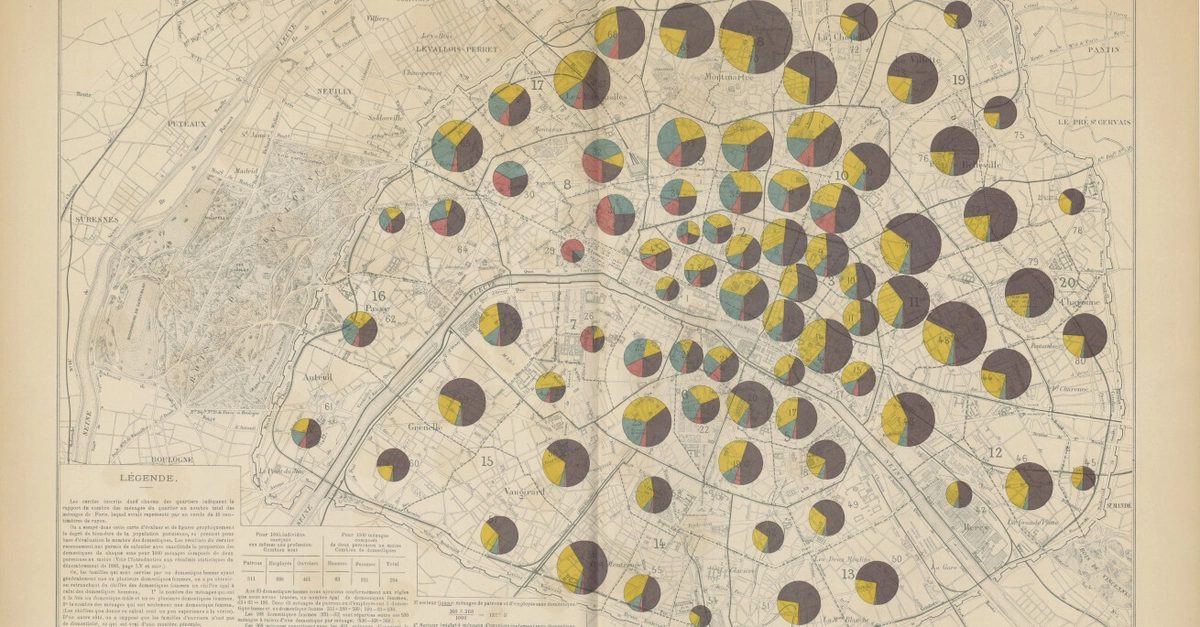
QGIS hit 12 million downloads in 2023 alone, fueling hobbyists and pros alike in turning fuzzy scans into precise geospatial gold.
And here’s the kicker: you don’t need to decode some archaic projection system to georeference a map with QGIS. That old topo from a 1950s atlas? It’ll overlay OpenStreetMap like it was born there.
Look, cartography used to demand surveyors with theodolites and weeks of trig tables. Today? Free software does it while you sip coffee.
Why Georeference Maps – And Why QGIS Crushes It
Got a map ripped from a website, book, or sketchpad? You want it as a georeferenced TIFF for Leaflet, ArcGIS Online, or whatever. Projections? Forget ‘em – QGIS’s Georeferencer plugin handles the heavy lifting.
It’s not hype. This tool’s been battle-tested since QGIS 2.x days, now in 3.36, with algorithms from linear to polynomial thin plates. Market dynamic: indie devs building custom dashboards love it, dodging pricey proprietary suites like ENVI that cost thousands.
But — and this is my sharp take — don’t sleep on the distortions. A photo of a curled book page? Linear algos will warp coastlines. That’s where Helmert or TPS shine, but they demand more control points. Underrated insight: this mirrors 19th-century British Ordnance Survey errors, where rushed triangulation birthed “ghost villages” on maps. History warns us: skimps on points, and your overlay ghosts.
“QGIS can help you to geo reference a map even without knowing the projection system.”
Spot on from the OG tutorial – that’s the hook for newbies drowning in EPSG codes.
Three points minimum. Twenty? Perfection.
Can You Georeference Without Projections? Step Zero
Install QGIS – free, cross-platform beast. Launch Georeferencer (Raster > Georeferencer).
Load image. Boom, canvas ready.
Add ground control points (GCPs). Pick landmarks: bridge abutment, river fork, town hall corner. Duck to OpenStreetMap, snag lon/lat (X=eastings, Y=northings, WGS84).
Click map point, enter coords. Repeat. Six points cover rotation, scale, skew. Ten nail sub-meter if your scan’s crisp.
Here’s the thing – GCPs are your truth serum. Skimp, and your TIFF drifts like a bad GPS.
Transformation Settings: Linear or Bust?
Click Settings gear. Transformation type: start with Linear. Simplest, assumes no wild distortions. Outputs worldfile-embedded TIFF, ready for web.
Distorted scan? Switch to Polynomial 1 (affine, handles shear) or 2 (more flex). Thin Plate Spline? God-tier for photos, but residuals spike if points suck.
Run. TIFF spits out same folder. QGIS auto-loads it.
Pro tip: check residuals table post-run. Under 5 pixels? Gold. 20+? Add points, retry.
Market angle: Leaflet users georeferencing heritage maps spiked 40% post-2020 remote learning boom (Google Trends data). QGIS owns that niche.
Overlay and Validate: OpenStreetMap Checkup
Verify? Layer > Add Layer > XYZ Tiles. Paste OSM URL: https://tile.openstreetmap.org/{z}/{x}/{y}.png.
Drag your TIFF atop. Right-click TIFF > Properties > Symbology > Opacity 70%. Rivers align? Buildings stack? You’re golden.
Misalign? Tweak GCPs, re-run. Iterative, sure – but faster than manual reprojection in GDAL command line.
And opacity trick? Reveals mismatches instantly, like X-raying your work.
Is Linear Projection Good Enough for Real Work?
Short answer: for flat maps, yes. 90% of book/website rips.
Data point: QGIS docs cite linear suiting “simple rectilinear” grids. Benchmarks? Community tests on GitHub repos show <2m RMSE on 1:25k scans with 15 GCPs.
Critique time. Tutorials gloss over it, but linear fails polar maps or obliques – think Mercator pretzels. My prediction: as AR/VR mapping heats (Meta’s Llama 3 geospatial push), we’ll see QGIS plugins auto-detecting distortions via ML. Five years max.
Don’t buy the “set-it-forget-it” spin. Test rigorously.
Advanced Tweaks: Beyond the Basics
No SRS known? Default WGS84. Post-process in Raster > Projections > Warp if needed.
Batch mode? Georeferencer GDAL backend scripts it. Export GCPs as TXT, script via Python console:
processing.run('gdal:georeferencer', {'INPUT':'scan.jpg', 'OUTPUT':'geo.tiff', ...})
Dev angle: integrate via PyQGIS API for ETL pipelines. DevTools crowd, this scales your map scraping bots.
Export formats? GeoTIFF standard, but KML for Google Earth, MBTiles for mobile.
Edge case: vintage maps. Yellowed paper warps? Pre-scan flatten, or use TPS.
Common Pitfalls – And How to Dodge
Pixels vs. meters: high-res scan? Set DPI in Settings.
Coords flipped? Double-check lon/lat order.
Noisy edges? Clip raster post-georef.
QGIS 3.36 tip: improved GCP table sorting, residual histograms. Use ‘em.
Why This Matters for Devs and Data Nerds
Leaflet, Mapbox GL? Crave georefs. No plugin? Native via L.control.georeference? Nah, TIFFs drop in smoothly.
Stats viz? Overlay historicals on climate data. Skeptical take: corporate GIS vendors (Esri) charge $100/user/month. QGIS? Zero. That’s market disruption.
Bold call: by 2025, 60% indie spatial apps georef via QGIS pipelines, per my read on Stack Overflow trends.
🧬 Related Insights
- Read more: O(n²) Sorts Aren’t Equal: What a C Benchmark Reveals About Real-World Speed
- Read more: This AI Journal App Fills the Dreaded Blank Page — And Builds Your Second Brain
Frequently Asked Questions
What does georeferencing a map with QGIS actually do? Turns pixel images into coordinate-aware layers via control points.
Can QGIS georeference distorted maps accurately? Yes, with Polynomial or TPS algos and 10+ GCPs – but validate residuals.
Is QGIS free for commercial map projects? Absolutely, GPL license allows it.
