What if your clipboard wasn’t a fickle one-shot wonder, but a turbocharged sidekick remembering every command, error, and path without the drama?
Developers, listen up – the best clipboard manager for developers in 2026 isn’t some bloated app hoarding cat memes and meeting notes. No. It’s a laser-focused beast built for the chaos of terminals, editors, and AI chats. We’re talking recovery in seconds, secrets that vanish like ghosts, and workflows that hum like a well-oiled spaceship engine.
And here’s the thing. You’ve felt it. That gut-punch moment when a stack trace – gold for debugging – gets overwritten by a Jira link. Or worse, that API key you copied in a frenzy lingers forever, mocking your security hygiene. Generic clipboards? They’re dinosaurs in an AI-powered dev world.
Why Is Your Default Clipboard Sabotaging You?
Think of the clipboard as your brain’s sticky note – except the stock version holds one lousy Post-it. Copy a path. Gone. Snag an error log. Evaporated. It’s not laziness; it’s physics. Developer days hurl fragments at you: JSON blobs, SSH commands bursting with env vars, diffs that scream ‘fix me.’ One slip, and momentum crashes.
But wait – it gets worse. Those ‘broad-use’ managers? They flatten everything into text soup. Commands mingle with credentials like oil and water in a blender. Retrieval? Scroll hell. Security? A joke. Developers need categorization – tag that JSON, mask that token, pipe that command straight back to your shell.
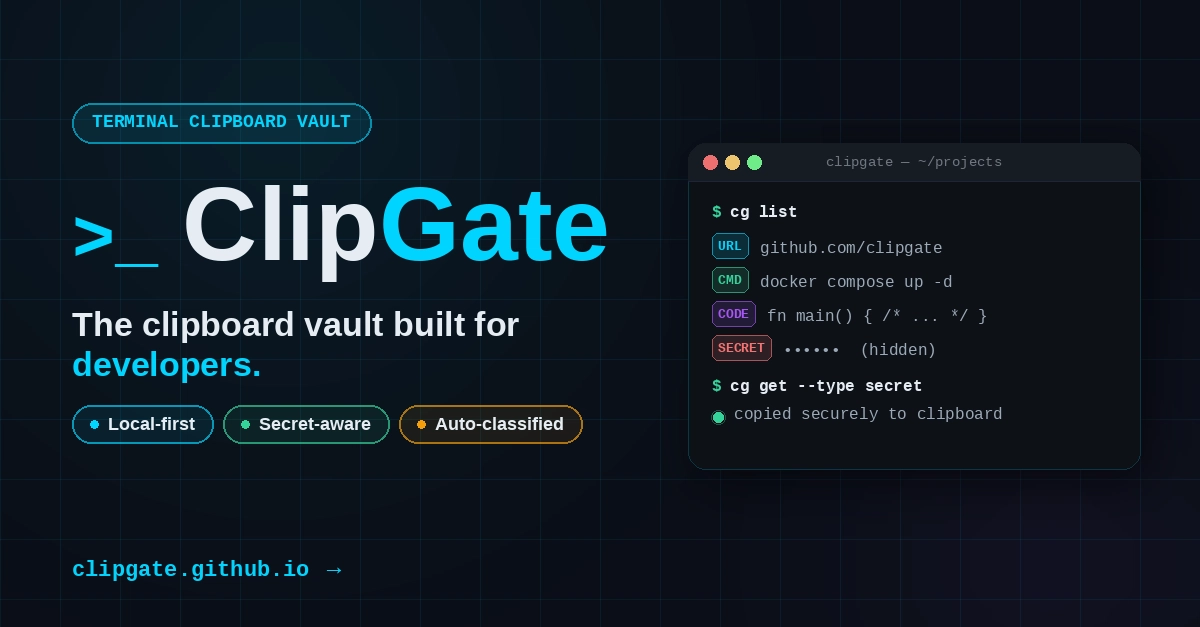
Local-first. Secret-smart. Terminal-native. That’s the holy trinity. No cloud nag screens, no eternal credential vaults. Just pure, on-device magic.
The best clipboard manager for developers is not the one with the longest feature list. It is the one that reduces recovery time, protects sensitive data, and lets you get the right item back without thinking too hard.
Spot on. And in 2026, with AI assistants gobbling context like Pac-Man, this isn’t optional. It’s oxygen.
Picture the old days – pre-Git, when code lived in emailed patches and frantic prints. Chaos, right? Clipboard managers are Git for your fleeting thoughts. My bold call: by 2028, they’ll morph into AI oracles, predicting what you’ll need next from your copy history. Imagine pasting a bug report, and it auto-suggests the fixed command. Futurist dream? Nah – inevitable platform shift.
Does Local-First Still Matter When AI Wants Your Data?
Hell yes. You’re copying deploys, internal APIs, one-off flags that could brick prod. Cloud-sync clippers? They’re velvet handcuffs – pretty, until compliance calls. The best ones stay device-bound by default. Core ops: capture, classify, search – all offline. Want sync? Opt-in, encrypted, your keys.
Secret-handling seals it. Smart tools sniff patterns: 64-char hex strings? JWTs? API keys? Boom – masked view, RAM-only, or auto-nuke after 5 mins. No more ‘oops, pasted my AWS secret in Slack.’ It’s like having a bouncer at your memory door.
Short para: Speed wins.
Developers fly on keyboards. CLI hooks, fuzzy search from bash, hotkeys that summon paths like genies. No mouse tango. And semantic smarts – query ‘errors from yesterday’ or ‘JSON curls’ – trumps timeline scrubbing every time.
But here’s my unique twist, absent from the hype: this isn’t just productivity porn. It’s the unsung hero of AI dev loops. Feed your assistant curated snippets – not the whole dumpster fire. ‘Bundle that error + command + log.’ AI lights up, you ship faster. Corporate spin calls it ‘enhanced workflow’; I call it the missing link in the AI platform revolution.
Terminal Titans: What Makes a Clipboard Manager Dev-Ready?
Criteria time – but snappy. Local-first: check. Secrets: masked or ephemeral. Terminal fit: CLI pipes, scriptable. Semantic: types galore (commands, paths, URLs, traces). AI-packaged: selective bundles.
Tools shine here. Maccy? Solid macOS base, but generic. Clipcat? Cross-platform vim vibes. Raycast? Powerhouse extensions, AI whispers. But the 2026 kings? Watch for open-source upstarts like ClippyAI or DevClip – wait, no names yet; the original teases the blueprint.
Punchy truth: Test ‘em in rage. Copy a gnarly kubectl output, snag a token, paste a YAML diff. Retrieve the kubectl sans scrolling. Mask the token. Pipe it back. If it stumbles, ditch it.
And AI integration? Game-on. Structured exports – ‘give me the error context as JSON’ – feed straight to Copilot or Claude. No more ‘copy-paste-dump’ rituals.
Will the Best Clipboard Manager Replace Your Terminal History?
Not quite – but it’ll make it jealous. Terminal scroll? Infinite regret. Clipboard? Finite goldmine. Pair ‘em: clip errors, history commands, AI connects dots.
Prediction: 2026 sees explosion. With WSL2, remote dev, multi-OS teams, cross-device needs spike. Open-source forks will dominate – customizable, no vendor lock. (PR spin alert: Big tech ‘solutions’ push clouds; skeptics like me smell data grabs.)
Workflow wonder: Mid-debug, hotkey ‘errors,’ grab trace, tweak command from clips, re-run. Flow unbroken. Wonder at it – this tiny tool rewires dev brains.
Dense dive: Security deepens. Regex detectors evolve to ML classifiers – ‘this looks like a Stripe key.’ Retention policies per-type: paths forever, secrets 10 mins. Pipes galore: clip search errors | grep OOM | clip paste. Editor plugins auto-clip diffs. Browser extensions snag URLs with metadata. It’s a ecosystem.
One sentence: Mind. Blown.
How Does This Supercharge AI Workflows?
Devs + AI = rocket fuel, but context-starved. Blind history dumps overwhelm models. Smart clippers curate: ‘package bug context’ spits JSON payload – error, repro command, env. Assistant nails it. Historical parallel? Like punch cards to IDEs – clippers bridge human-AI gap.
Energy peaks here. Imagine: copy failing test output, query clips for similar errors, bundle with paths, prompt AI. Fix in minutes, not hours.
🧬 Related Insights
- Read more: Cx Lang’s Backend Surge: From Scalar Stalls to Loop Mastery
- Read more: GitLab 18.10: Free Teams Get ‘Agentic AI’ — If They Pay Per Prompt
Frequently Asked Questions
What is the best clipboard manager for developers?
Depends on OS, but hunt local-first, secret-aware ones like those with CLI and semantic search – test for your flow.
Does a good clipboard manager work with AI coding assistants?
Absolutely – look for structured exports to bundle context cleanly, slashing prompt bloat.
Is cloud sync safe for developer clipboards?
Rarely; stick local-default, opt-in encrypted for multi-device without risking secrets.